


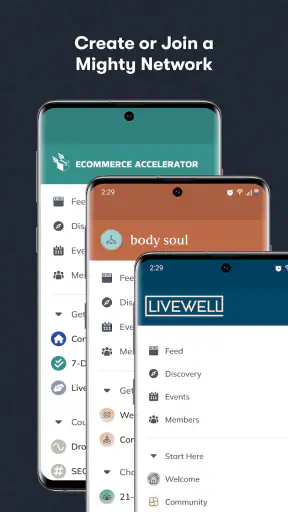
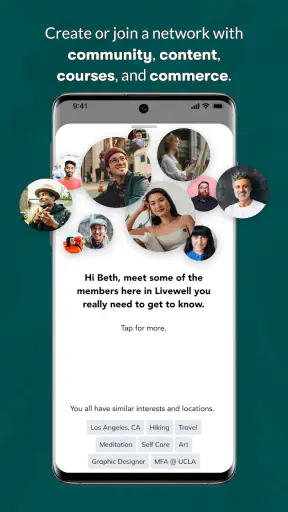
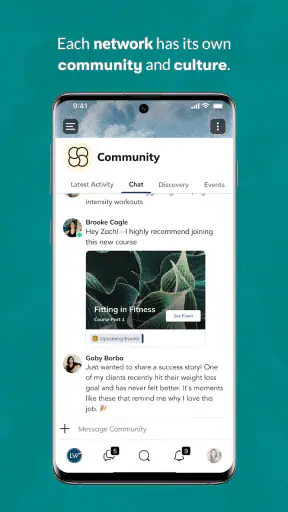
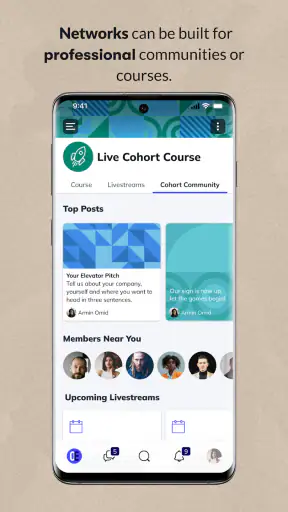
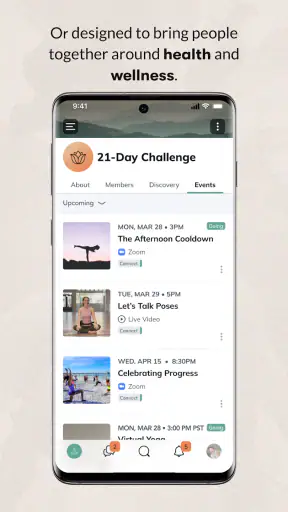
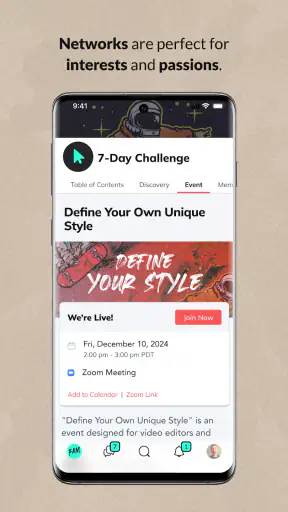
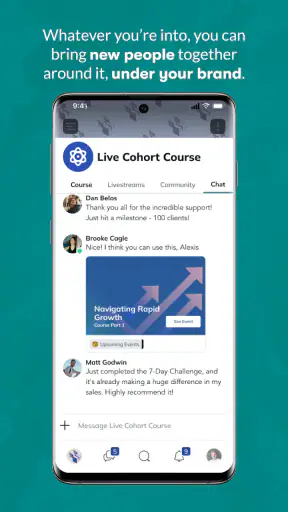
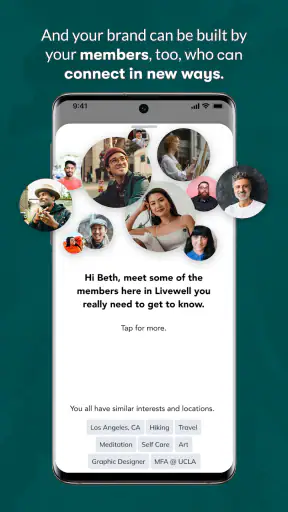
I came away from Mighty Networks thinking less about it as another social feed and more as a different place to hold conversations. The app is built for communities rather than for keeping up with everyone you have ever met, and that changes the rhythm immediately. Instead of opening one enormous stream and hoping the useful posts rise to the top, I found myself entering a more focused space with a shared subject, purpose, or group identity.
That distinction matters in everyday life. A general social network is good at showing what is happening everywhere, but it can also make every notification feel equally urgent. Mighty Networks, developed by Mighty Networks, is more appealing when I want communication to have a home: a learning group, a club, a professional circle, a local interest community, or a recurring activity where people benefit from recognizing one another over time.
The app is free, carries a Teen content rating, and sits in the social category. Its average rating is 4.7 from around 20K ratings, while its reach has passed 1M+ installs. Those figures suggest that the idea is easy for many people to understand, but the real question is whether its community-first structure suits the way you already communicate.
Why a community space can feel clearer than a social feed
My first useful observation was that Mighty Networks works best when the group has a reason to exist beyond casual posting. If everyone joins for the same workshop, interest, project, or shared routine, conversations become easier to place. A question belongs to the group, an update belongs to the group, and a reply has a better chance of reaching people who actually care.
That is a meaningful difference from ordinary social platforms. On a broad network, I often have to filter through unrelated opinions, recommendations, and personal updates before finding something relevant. Here, the surrounding context does more of the filtering. The community itself becomes the first layer of organization.
I would not describe this as a replacement for every messaging app. A private messenger is usually better for a quick one-to-one decision, a family emergency, or a small conversation that does not need a wider audience. Mighty Networks makes more sense when the value comes from shared visibility. If a question could help several members, posting it in the community is more useful than sending the same message separately to five people.
There is also a social benefit that is easy to overlook: repeated encounters feel less random. In a large public feed, I may see a person once and never find the conversation again. In a dedicated network, returning members can build recognition. That can make participation more comfortable for people who dislike the performative feeling of public social media.
Finding the right communication rhythm
The most important habit is to treat the app as a place to check in, not as a stream that deserves constant supervision. I found it more satisfying when I entered with a small intention: read recent community activity, answer one question, save a thought for later, or look for an update connected to a specific group.
This is where the product can change communication rhythm. Instead of scattering discussion across email, group chats, and public posts, a community can give members a shared reference point. That does not automatically make every group well organized, but it gives the organizer a clearer environment in which to establish norms.
A practical example would be a weekly learning community. On a typical weekday, I might open the app after work, read the newest discussion, respond to a member who is stuck, and leave one question for the next session. That interaction is slower and more deliberate than rapid-fire chat, but it creates a record that other members can follow. The trade-off is that people who expect instant replies may find the pace too relaxed.
For organizers, the useful insight is to separate announcements from conversation whenever the community structure allows it. A major update should not be buried inside a long thread of reactions. A discussion prompt should invite replies rather than merely repeat information. The app can support a healthier communication pattern, but the group still needs someone to decide what deserves attention now and what can wait.
Conversation flow: useful continuity, imperfect discovery
In use, the strongest conversations are the ones with a clear starting point. A post that explains the situation, asks one understandable question, and gives members enough context is much easier to join than a vague announcement. I noticed that the community setting encourages this kind of continuity because replies are connected to a shared subject instead of being lost among unrelated contacts.
That continuity is valuable for newcomers. When a group has accumulated thoughtful discussions, a new member can learn from earlier exchanges instead of asking the same basic question immediately. It also helps experienced members avoid repeating the same answer every week. This is one of the less obvious advantages over a fast-moving group chat, where useful advice can disappear quickly.
The limitation is that a community can still become difficult to navigate if members post without a consistent structure. Mighty Networks does not remove the need for good labeling, sensible posting habits, or active moderation. If an organizer allows every topic to blend together, the app may feel calmer than a mainstream feed while still becoming confusing over time.
I recommend using a simple writing rule: put the subject in the first sentence, explain what has already been tried, and finish with the response you want. That small change improves the quality of replies and reduces the number of messages that merely ask people to guess what the author means. It is especially helpful in professional or educational groups where clarity matters more than spontaneity.
Another trade-off appears when a community grows. More members can bring better answers and a wider range of experiences, but they can also make individual conversations feel less personal. A small group may feel like a room where everyone knows why they are there. A larger one can start to resemble a public forum inside an app. I would judge the experience by the quality of participation, not simply by the number of people present.
Attention costs and the problem of another inbox
Any social app can become an attention expense, and Mighty Networks is not exempt. Its focused communities may reduce irrelevant content, but they can also create several new places to check. If I join multiple networks, each with its own discussions and activity, the promise of a calmer experience can turn into a collection of small obligations.
That is why I would avoid joining a community merely because it sounds interesting. Before accepting, I would ask whether I expect to participate, learn, contribute, or simply browse. Passive membership is not always harmful, but several passive memberships can make the app feel like another inbox filled with unfinished intentions.
The better workflow is to decide what the app is for before using it regularly. For a course, I might check after each lesson. For a hobby group, I might visit a few times a week. For a professional network, I might reserve a short period for reading and replying rather than opening it whenever I feel bored. This turns the app into a tool with a boundary instead of a reflex.
I also found that the emotional cost of community communication can be different from the cost of public social media. A broad feed often encourages comparison and reaction. A dedicated group can create a stronger sense of responsibility because people recognize one another and remember previous conversations. That is positive when it motivates helpful participation, but tiring when every unanswered post feels personal.
If you are sensitive to social pressure, I would start with one community and observe how often it genuinely asks for your attention. Do you leave with useful information, or do you leave feeling behind? That answer is more important than the app’s polished presentation. A community platform should make belonging easier, not turn belonging into a daily performance.
Boundaries for members and organizers
The app is most effective when the group agrees on what belongs there. A community for a shared project should not quietly become a general-purpose chat for every unrelated topic. A local interest group may welcome casual conversation, but members still benefit from knowing where practical updates, questions, and social posts should go.
For members, my advice is to write as though the post may help someone who arrives later. Give enough background, avoid sending several fragments when one clear message would work, and reply in the existing conversation when your answer belongs there. These habits make the network easier to search mentally, even when the group is active.
For organizers, boundaries should include response expectations. Is the community a place for discussion during the day, a weekly check-in, or an ongoing archive of shared knowledge? People behave more comfortably when they know whether a delayed reply is normal. Without that clarity, some members will expect chat speed while others will participate only when they have time to think.
This is also where Mighty Networks may not be the right choice. If your group needs rapid coordination, highly formal project tracking, or a simple broadcast channel with almost no discussion, another tool may be more efficient. The app’s strength is the middle ground between a public social feed and a private chat: a persistent community where conversation and identity matter. Outside that middle ground, its extra social layer may feel unnecessary.
Privacy and comfort should shape your decision as well. I would not place sensitive personal information into a community simply because it feels smaller than a public network. Members should understand who the audience is and what kind of conversation is appropriate. The Teen rating is a useful reminder that the app is social and broad in audience, not a guarantee that every community will match your personal comfort level.
Useful workflows beyond casual posting
One of the most practical uses is turning recurring questions into shared knowledge. Suppose a group meets every week to discuss a skill. Instead of answering the same beginner question privately, a member can explain the solution in the community, where later participants can learn from the exchange. This saves repetition and gives quieter members a way to participate without interrupting a live conversation.
A second use is accountability without the intensity of a private coach. A small group can post intentions, report progress, and encourage one another at a pace that feels human. The key is to keep the updates concrete. “I practiced for twenty minutes” is more useful than a vague promise to improve, and it gives others a clear opportunity to respond.
A third workflow is using the community as a transition space after an event or meeting. People can continue the discussion while the details are still fresh, share reflections, and collect follow-up questions in one place. That is often better than allowing the conversation to fragment across personal messages, especially when several participants need the same answer.
These workflows reveal a subtle strength: the app can support asynchronous participation. I do not have to be present at exactly the same moment as everyone else to feel involved. That helps people with different schedules, but it also means the group must resist turning every post into an urgent request. Asynchronous communication works only when waiting is considered normal.
I would also use a simple weekly reset. At the end of the week, review which discussions still need a response, which questions have been answered, and which topics deserve a fresh post rather than another reply. This keeps the network from becoming a pile of half-finished conversations and gives members a clearer sense of what is active.
How it compares with familiar alternatives
Compared with a mainstream social network, Mighty Networks feels more intentional because the community is the center of the experience. You give up some of the broad discovery and random variety of a public feed, but you gain a better chance that the people reading your post understand why it matters.
Compared with a group messenger, it favors continuity over immediacy. Chat is excellent for quick decisions and live coordination, while a community space is better for discussions that deserve to remain useful after the moment has passed. If your group mainly says “Where are you?” and “Are we still meeting?”, a messenger will probably be simpler. If members ask questions, share progress, and build on one another’s experience, the community format has more value.
Compared with a forum, the app can feel more socially present and less like a collection of isolated threads. That may encourage participation from people who would never register for a traditional discussion board. The downside is that users who prefer a highly formal archive may want stronger structure and stricter organization than a social community naturally provides.
Compared with email groups, it reduces the burden of keeping every reply in an overflowing inbox. On the other hand, email remains excellent for direct, official communication that people already know how to search and retain. I would use Mighty Networks for belonging and ongoing exchange, not automatically for every announcement or document.
Who should use it, and who should skip it
I think the app is a strong fit for people who want a focused home for a shared interest and who value conversations that can continue over time. It is particularly suitable for members of clubs, learning circles, creator-led communities, professional groups, and recurring activities where the relationships matter as much as the individual messages.
It is also a good option for someone who feels exhausted by the noise of general social media but still wants interaction. The important condition is that the community itself must be active and thoughtfully managed. A well-designed space can feel welcoming; an empty or poorly organized one cannot be rescued by the app alone.
I would skip it if you only need a private conversation with a few close contacts, instant coordination, or a rigid task-management system. I would also hesitate if I already have too many communities competing for my attention. Adding another social destination without removing an old one may increase, rather than reduce, communication fatigue.
Before committing, I would spend enough time observing the group’s pace. Look at whether questions receive useful replies, whether discussions stay on topic, and whether members seem comfortable disagreeing without turning every exchange into a performance. Those signs tell you more about the likely experience than the app’s general reputation.
My social verdict
Mighty Networks succeeds when it gives a group a recognizable place to gather without forcing every interaction into the speed and noise of a traditional social feed. I liked the way its community focus can make conversations feel more relevant and easier to return to. It encourages a slower rhythm in which people can read, think, and contribute when they are ready.
That slower rhythm is not automatically better for everyone. It can feel inefficient when a decision must happen immediately, and it can become another source of notifications when several communities overlap. The product depends heavily on the habits of its organizers and members: clear topics, realistic expectations, and respect for people’s time are essential.
The current version is 8.281.67, and the app supports operating system version 10 or later. It has been available since Feb 19, 2016, which gives it a long presence in the social-app space. I would not choose it because it promises to replace every other communication tool. I would choose it when I want one shared environment where a group can build context, maintain continuity, and communicate without demanding constant availability.
My final recommendation is simple: try it with one community that already has a clear purpose. Set a checking routine, decide what deserves a post, and notice whether the app gives you more clarity than distraction. When the answer is yes, it becomes a thoughtful alternative to the endless feed and the disappearing group chat. When the answer is no, a simpler tool will probably protect your attention better.


